
Stock & reordering
Know what's running low — and what to reorder.
Canventra updates stock with every sale, purchase, and adjustment, flags products that drop below their low-stock threshold, and groups what to reorder by supplier — ready to become a draft purchase order.
- Low-stock thresholds set per product
- Suggested reorder quantities you can adjust
- Draft purchase orders created from reorder suggestions

Inside the app
The screens you will work in every day
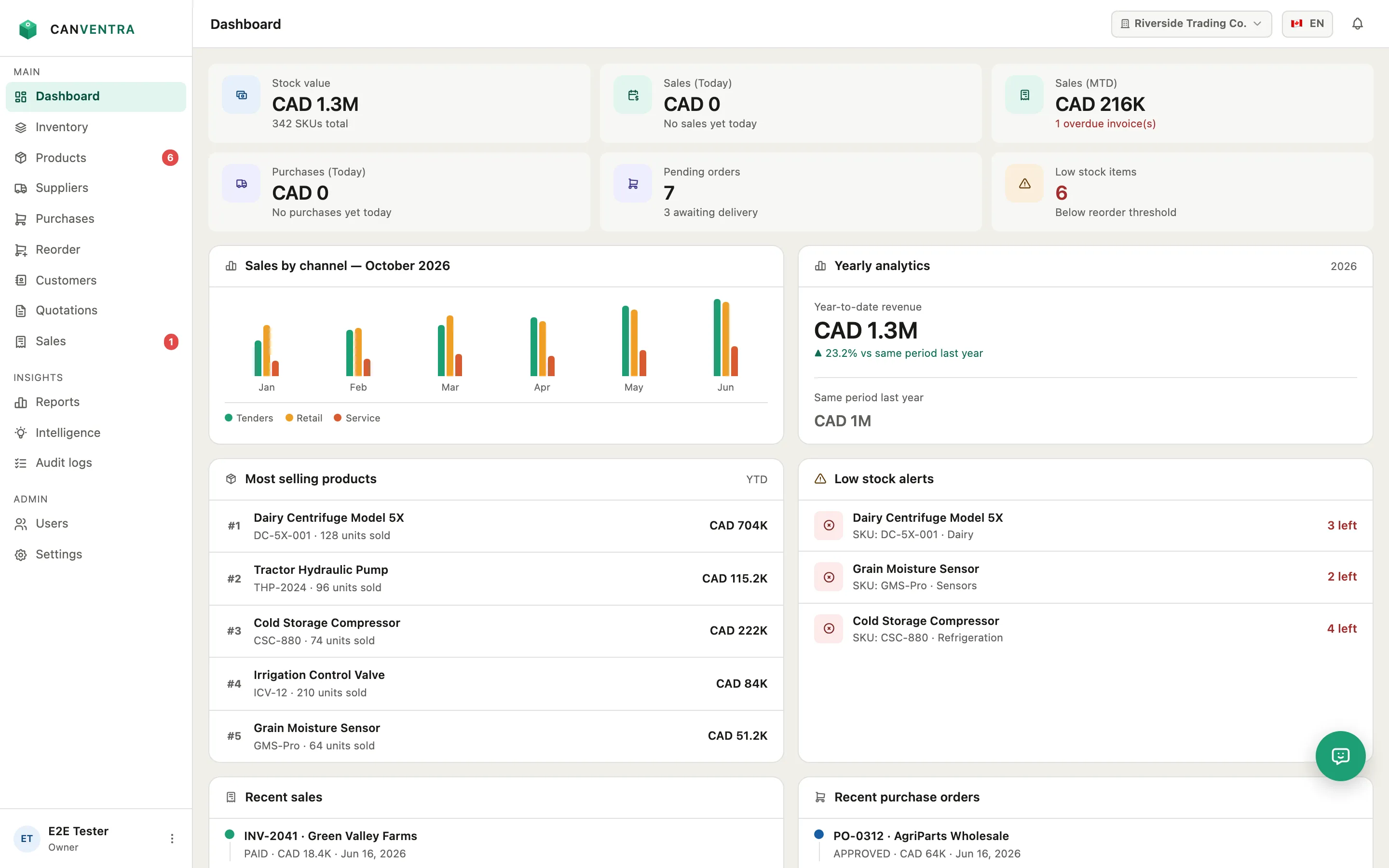
Dashboard
Stock value, today’s and month-to-date sales, today’s purchases, pending orders and low-stock items at the top. Below them: sales by channel, yearly revenue, top sellers, and your latest sales and purchase orders.
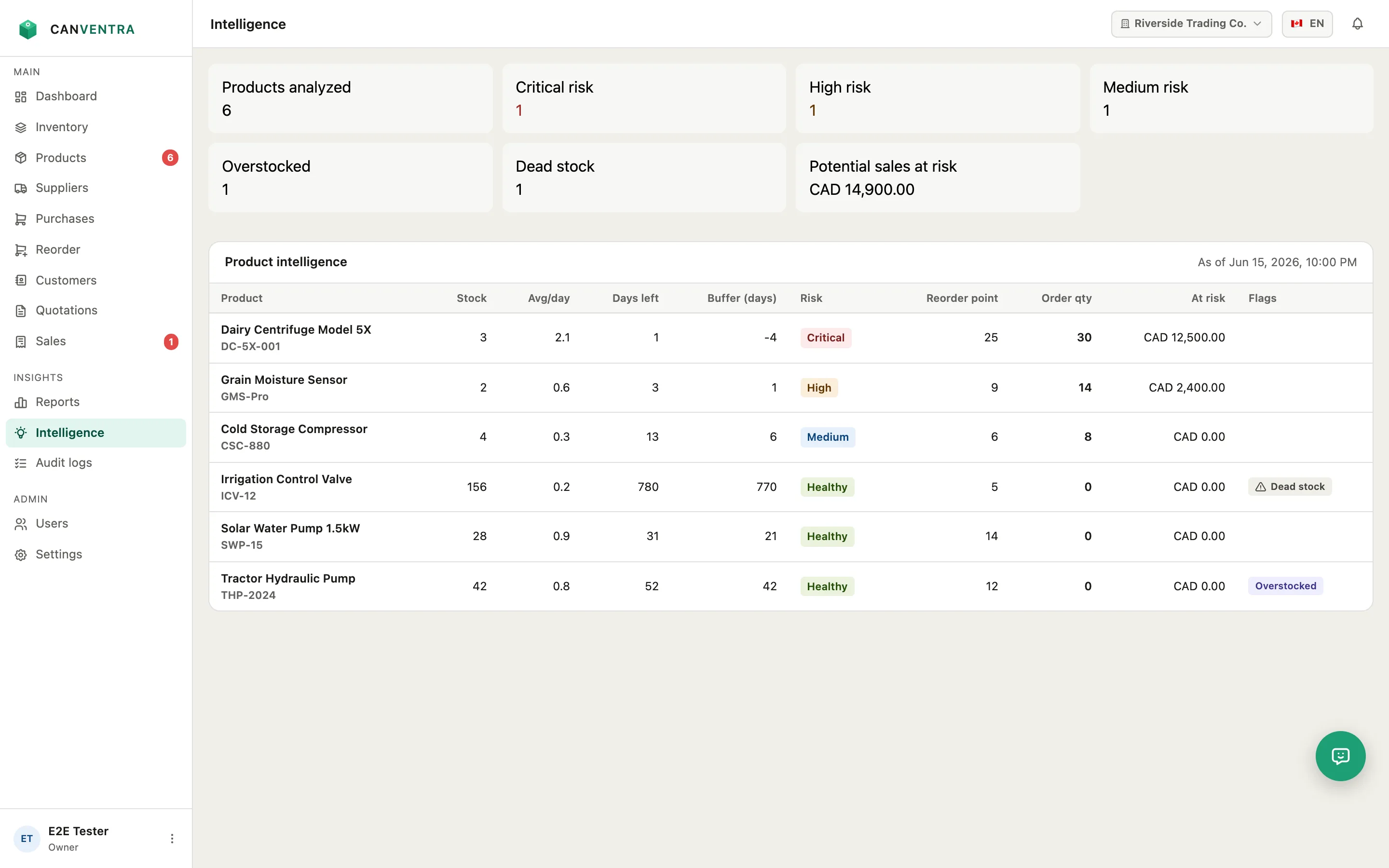
Intelligence
For each product: average daily sales, days of stock left, a risk level, a reorder point and an order quantity. Overstock and dead stock are flagged, and the figures are recalculated every day.
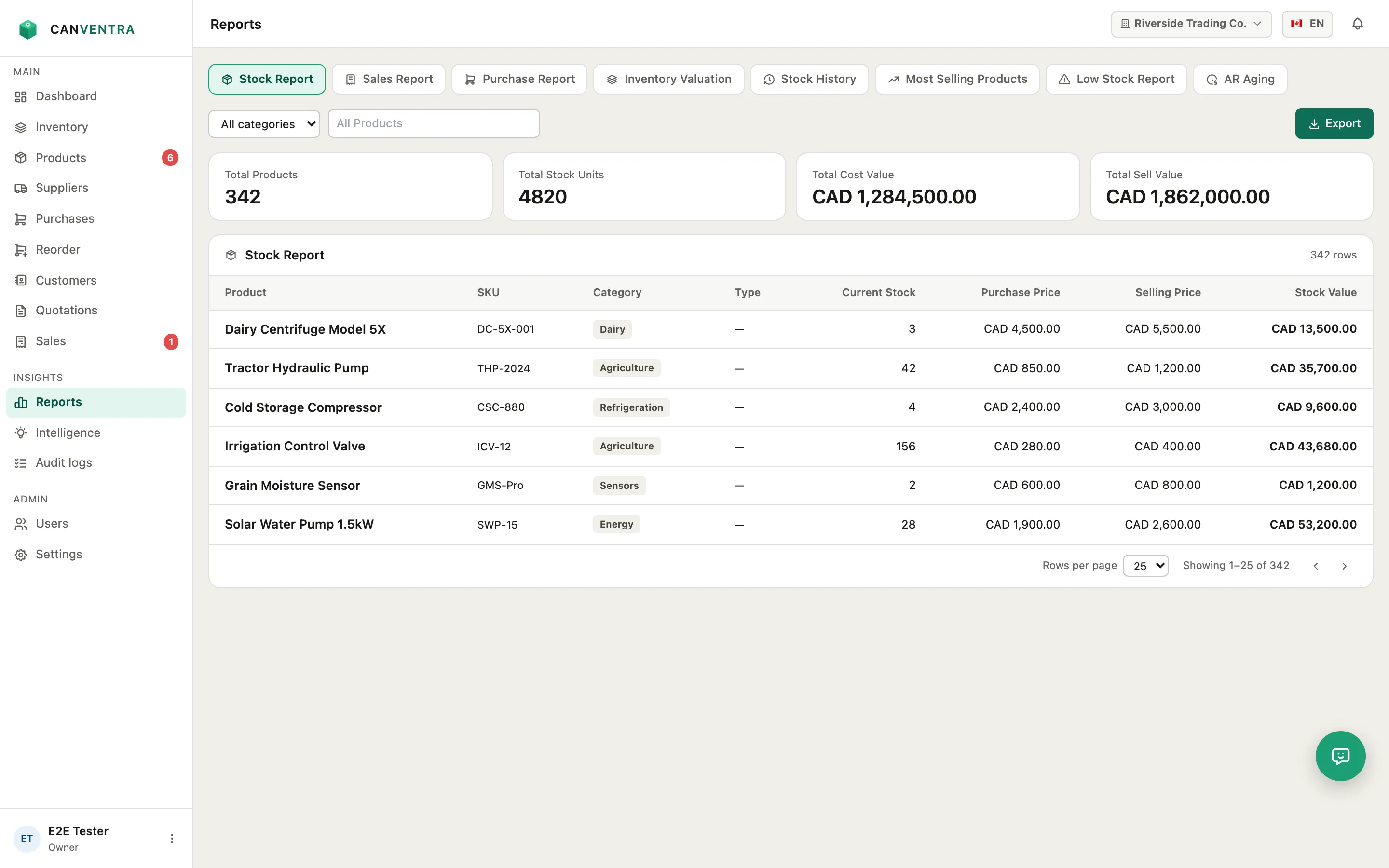
Reports
Stock, sales with cost of goods and gross profit, purchases, inventory valuation, stock history, top sellers, low stock, AR aging and tax. Filter by date, category or supplier and export to Excel, PDF or CSV.
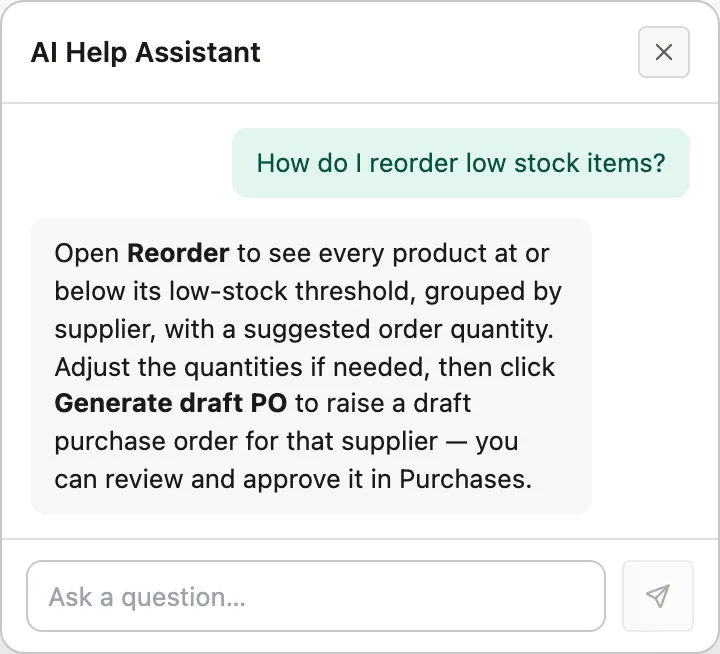
AI Help Assistant
Ask how to do something in plain language and get an answer drawn from the Canventra user manual. Answers are AI-generated, so they may not always be right.
Beyond stock counts
The parts that usually end up in a spreadsheet
-
Canadian sales tax and Sri Lankan VAT
GST/HST, PST and QST, or VAT. Set tax codes per product and every invoice and purchase order calculates tax, with a tax summary report for filing.
-
FIFO or weighted-average costing
Each receipt builds cost layers, so every sale shows its cost of goods sold and gross profit.
-
Landed cost
Add duties, freight and fees to a purchase and fold them into the real cost of the products you received.
-
Barcode scanning
Scan items as you receive a purchase order or add them to a sales invoice. Product search still works alongside it.
-
Quotes, invoices and credit notes
Turn an accepted quote into a sale, take partial payments, email PDF invoices, and record returns as credit notes.
-
Approvals and an audit log
Require owner sign-off on purchase orders above an amount you choose, give each person a role, and see who changed what and when.
-
Your history, not just a fresh start
Backdate past purchases and sales by hand or by CSV, and choose whether they change current stock or stay for reporting only.
-
English and Canadian French
Use the whole app in either language and switch at any time.
How it works
From product list to first purchase order
-
Import your catalog
Upload a CSV with SKUs, prices, opening stock and a low-stock threshold for each product, or add products by hand.
-
Record what moves
Sales, received purchase orders and stock adjustments update stock as you record them.
-
Reorder from the list
Products below their threshold appear on the Reorder screen, grouped by supplier, ready to become a draft purchase order.
Canventra pricing
We're working out the right pricing for Canventra. Get in touch to discuss your business and current needs.
Common questions
Do I need to install anything?
No. Canventra runs in your browser on any device — desktop, tablet, or phone. There’s nothing to install or maintain.
Can I import my existing products?
Yes. Import your catalog from a CSV file, or add products by hand. You can also scan barcodes to find and add items.
Can I bring in historical purchases and sales from before I switched?
Yes. Turn on historical data during setup (or anytime later in Settings) to backdate past purchase orders and sales, individually or in bulk via CSV import. Choose whether they should affect current stock or be kept for reporting and audit only — so your records stay accurate from day one, not just from when you signed up.
How much does it cost?
Canventra’s pricing is still being decided. Contact us to discuss your business and what you need.
Does Canventra handle sales tax?
Yes. Canventra supports GST/HST, PST, and QST for Canada and VAT for Sri Lanka. Set your tax rules once during setup, assign tax codes to products, and every invoice and purchase order calculates tax for you — with a tax summary report for filing.
How many people can use it?
Invite your whole team by email and give each person a role — owner, admin, warehouse, or sales — so they only see what they need.
Is my data safe?
Your data is stored in the cloud, not on a single computer. Role-based permissions control who sees what, and the audit log records who changed what and when.
Is Canventra available in French?
Yes. Canventra is available in English and Canadian French, and you can switch language at any time.
Book a demo or ask a question
Tell us a little about your business and we'll show you how Canventra fits, or just answer your questions.
Find out what you need to reorder
Import your products, set their thresholds, and Canventra lists what is running low.